Mora + Slack
Your Mora alerts, in Slack.
Mora helps you prepare for 1:1s and follow up across conversations. Get a private alert when a check-in response, weekly briefing, or Role Check is ready.
Available to enrolled pilot accounts. If Slack isn’t in your Settings yet, contact us to join. A Mora account is required. Your workspace may need administrator approval.
Setup and troubleshooting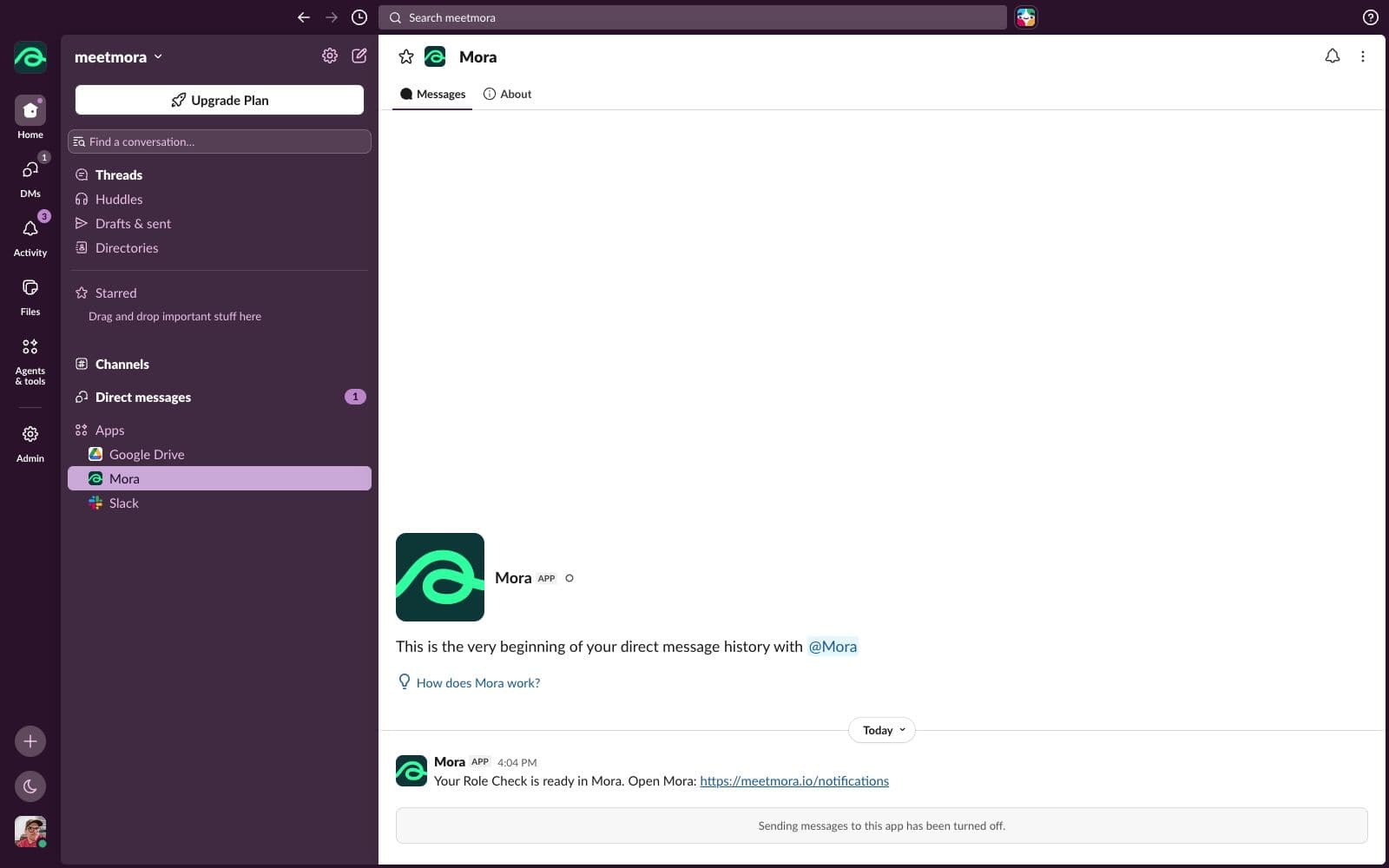
Choose what reaches you
Choose your alert categories in Mora Settings. Pause Slack notifications or disconnect whenever you need to. Each manager connects their own Slack identity.
Read the details in Mora
Slack receives a generic alert and a link. Employee names, check-in answers, meeting notes, and briefing text stay in Mora. Mora does not read your Slack history.
Before you connect
What does it cost?
Slack alerts are included with the Mora service. There is no separate Slack integration charge. See our pricing page for current plans and trial terms.
Which permissions does Mora request?
Mora requests permission to open your direct conversation and send messages as Mora. It does not request Slack message history, file or directory access.
Does it reply to messages?
This integration sends notifications. Its Messages tab is read-only; it does not answer chat messages.
How do weekly alerts work?
The weekly Slack category, Weekly team briefing email preference, and Briefings must all be enabled. New unread notifications created after connection can be delivered; old notifications are not backfilled.
What happens when I disconnect?
Future alerts to you stop. Messages already delivered remain under your Slack workspace’s policies. Other managers keep their own connections. Uninstall Mora in Slack to remove it from the whole workspace.